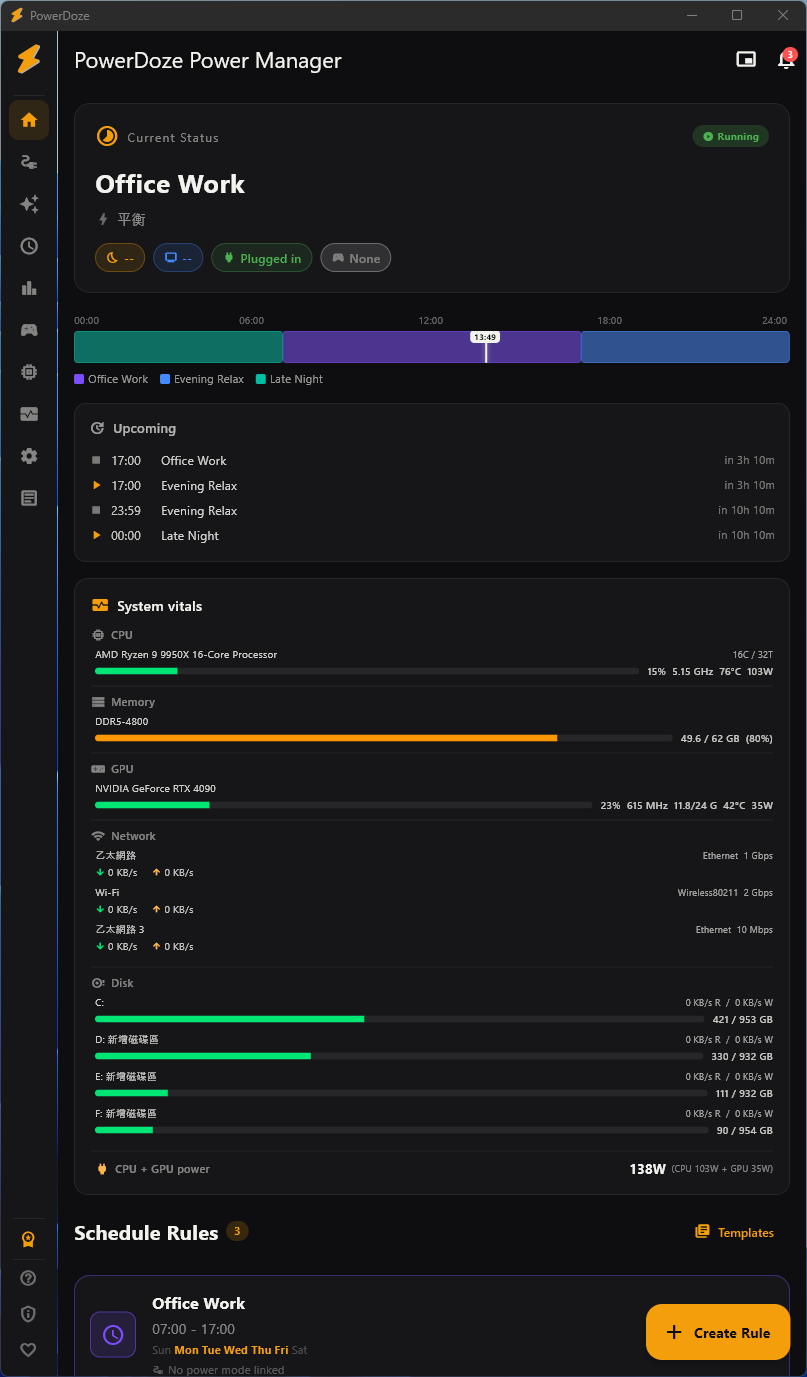
PowerDoze automatically adjusts power settings based on time, location, and what you're doing — so your laptop lasts longer, stays quiet, and never sleeps during a meeting.
Set it up once. PowerDoze handles the rest in the background.
Define when your PC should sleep, which apps prevent sleep, and what power mode to use for each time slot.
It watches the time, running apps, fullscreen state, Wi-Fi network, and your activity level — silently.
Power settings change automatically. No manual switching. Always the right mode for what you're doing.
20+ features from scheduling to analytics. Core ones free forever.
Schedule when your PC sleeps — different timeouts for work hours, evenings, and weekends.
One-click profiles bundling CPU, screen, thermal, and GPU settings together.
Games, movies, and presentations automatically pause sleep timers. Zero setup.
Map apps to power modes. Premiere Pro → High Performance. Switch back on focus change.
Different power profile per Wi-Fi network. Office, home, café — auto-switched.
Auto-switch modes based on battery level and charger state. Low battery? Eco mode.
No subscription. No hidden fees. Early customers get launch pricing.
One-time purchase. 14-day money-back guarantee.
Secure payment. Your Pro license activates instantly after payment.
Estimate based on PowerDoze users' typical 30% energy reduction. Adjust the inputs to match your setup.
PowerDoze Pro pays for itself in —.
Estimate based on a typical 30% reduction during idle periods (auto-sleep, screen timeout, CPU mode switching). Heavy 24/7 workloads save less by %; mostly-idle PCs save more.
Beyond electricity: Pro also automates power-mode switching, multi-monitor refresh rate, and per-app GPU preference — saving you manual hassle and reducing hardware stress from constant max load.
Compatible with Windows 10 (1903+) and Windows 11.
Download v2.0.2 for Windows