Every feature, explained
A deep dive into what PowerDoze can do for your PC.
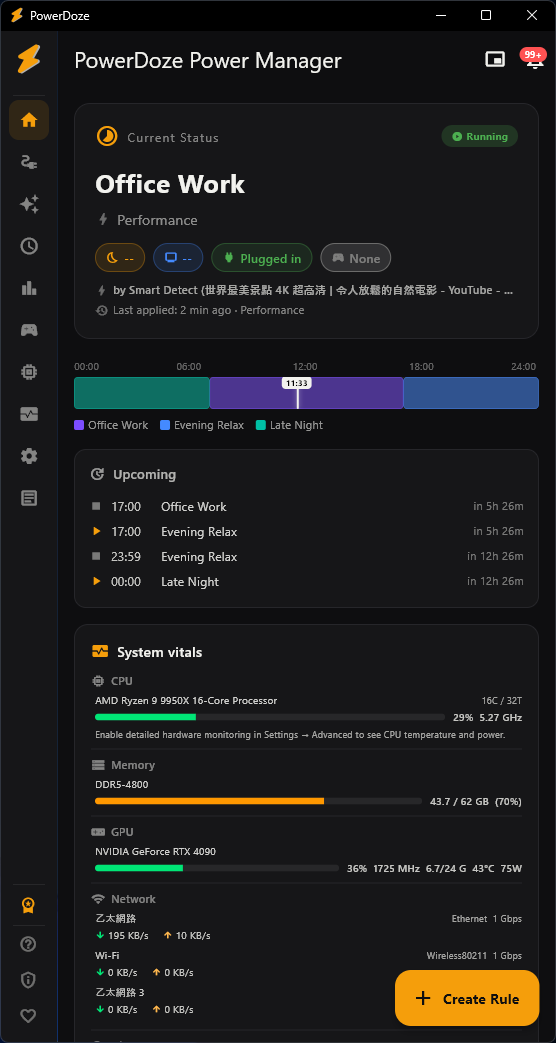
Scheduled sleep rules
Create time-based rules that control when your PC goes to sleep. Each rule defines a time window and a sleep timeout. PowerDoze evaluates rules every minute and applies the matching one.
- Set different timeouts for work hours, evening, and late night
- Filter by day of week (e.g., weekdays only, weekends only)
- Link a Power Mode to each rule for full automation
- Rules are evaluated by priority — first match wins
- Free: up to 3 rules / Pro: unlimited
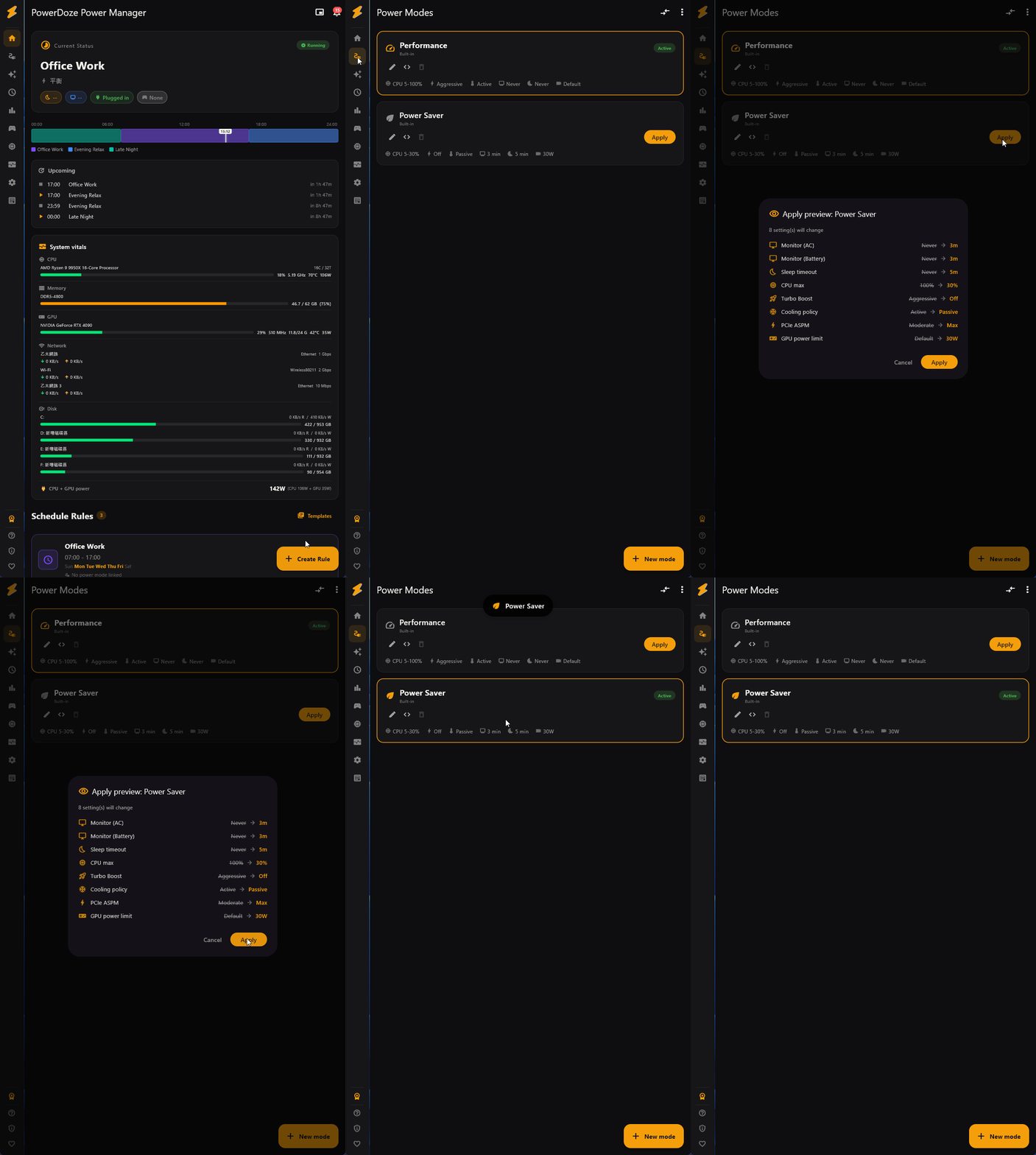
One-click power modes
Power Modes bundle multiple system settings into a single profile you can switch with one click. Each mode controls:
- Windows power scheme (Balanced, High Performance, Power Saver, or custom GUID)
- CPU min/max percentage and boost mode
- Cooling policy (active vs. passive)
- Screen timeout (AC and DC separately)
- PCIe ASPM link state power management
- NVIDIA GPU power limit (if NVIDIA driver is available)
- Free: 2 modes / Pro: unlimited
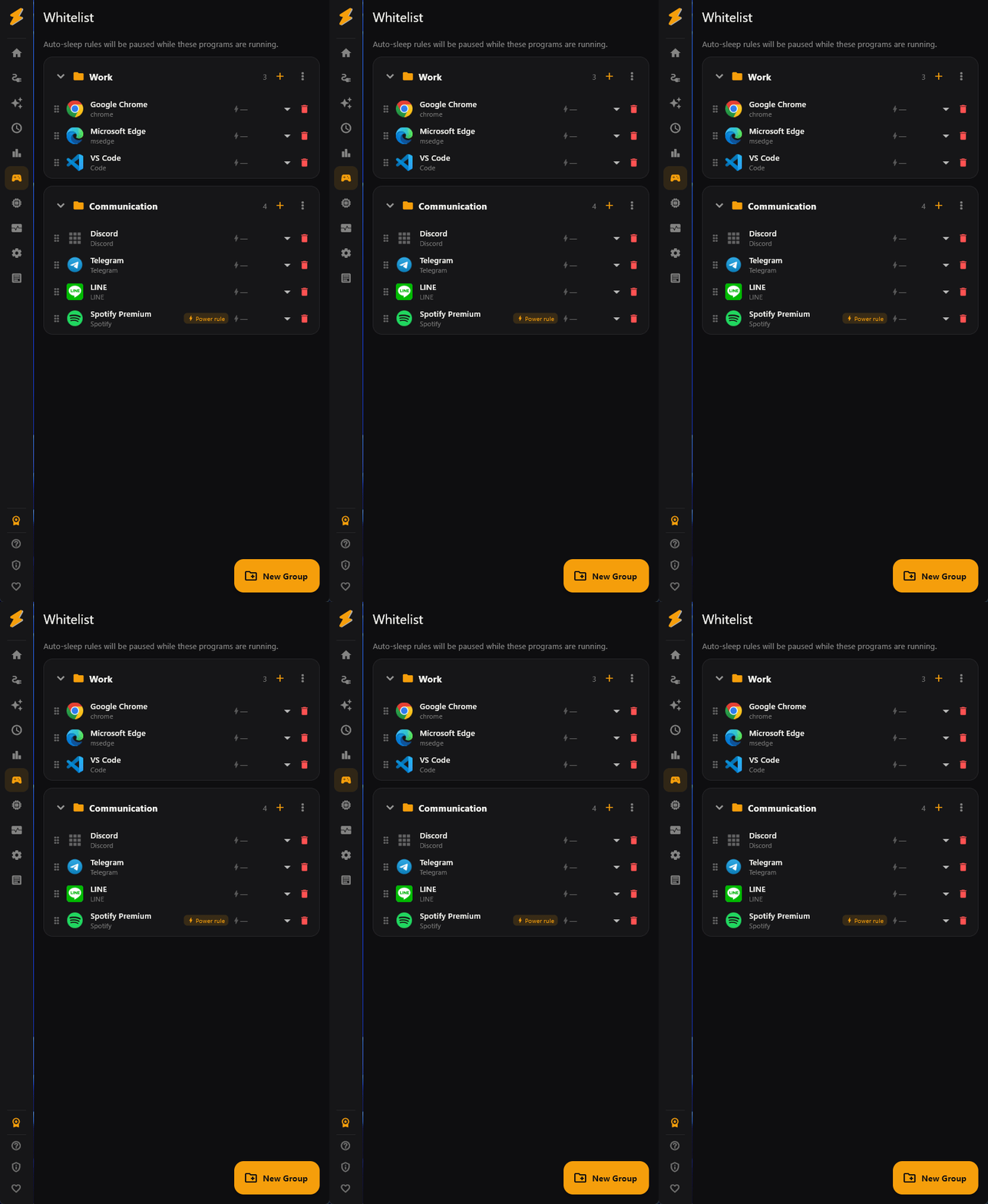
App whitelist
Prevent your PC from sleeping when specific apps are running. Perfect for downloads, rendering, long-running tasks, or any process that shouldn't be interrupted.
- Organize apps into groups (e.g., "Games", "Work", "Downloads")
- Scan running processes or installed apps to add quickly
- Drag-and-drop to reorder between groups
- Icons auto-extracted from executables
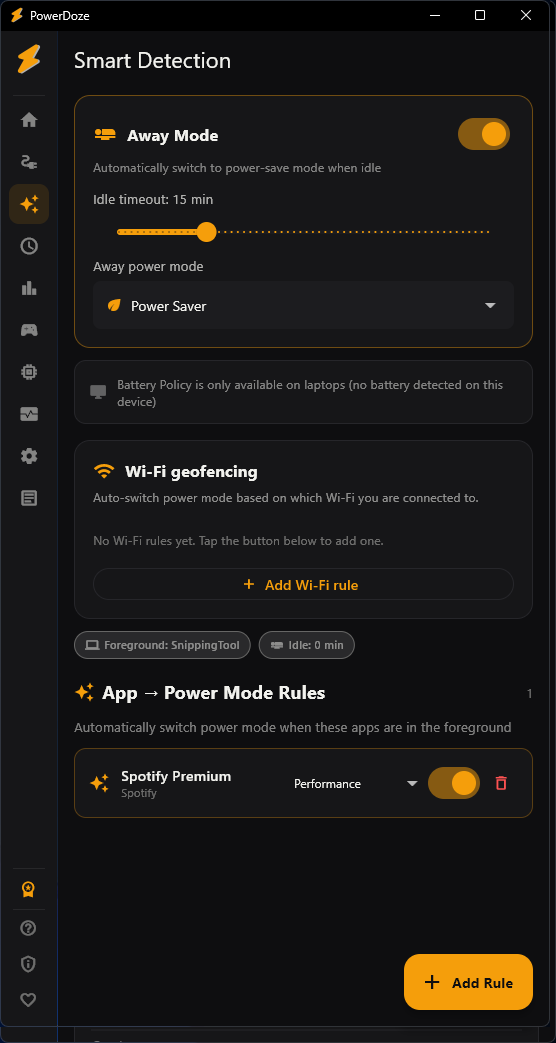
Away mode
When you stop using your PC for a configurable number of minutes, PowerDoze automatically switches to an eco-friendly power mode. When you return, it restores your previous settings.
- Adjustable idle timeout (1–60 minutes)
- Choose which power mode to switch to when away
- Restores your previous mode the moment you return
- Uses Windows idle detection (keyboard + mouse activity)
- Won't trigger during fullscreen apps or meetings
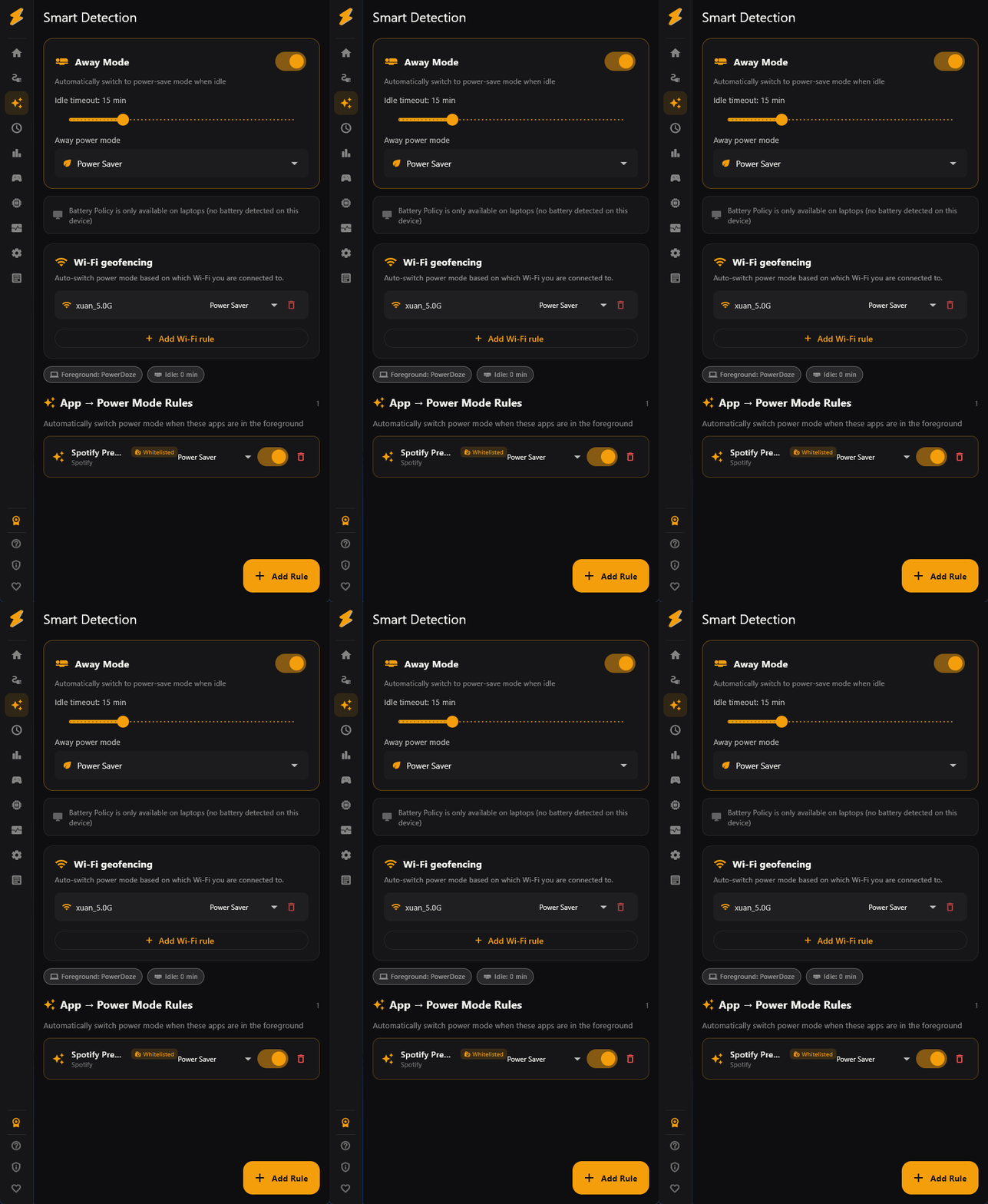
App foreground auto-switch
Automatically switch to a specific power mode when a particular app is in the foreground. When you switch away from that app, the previous mode is restored.
- Map any process to a power mode (e.g., Premiere Pro → Performance)
- Meeting app detection: Teams, Zoom, Slack, Discord, and more
- Customizable meeting app list
- Higher priority than schedule rules — foreground always wins
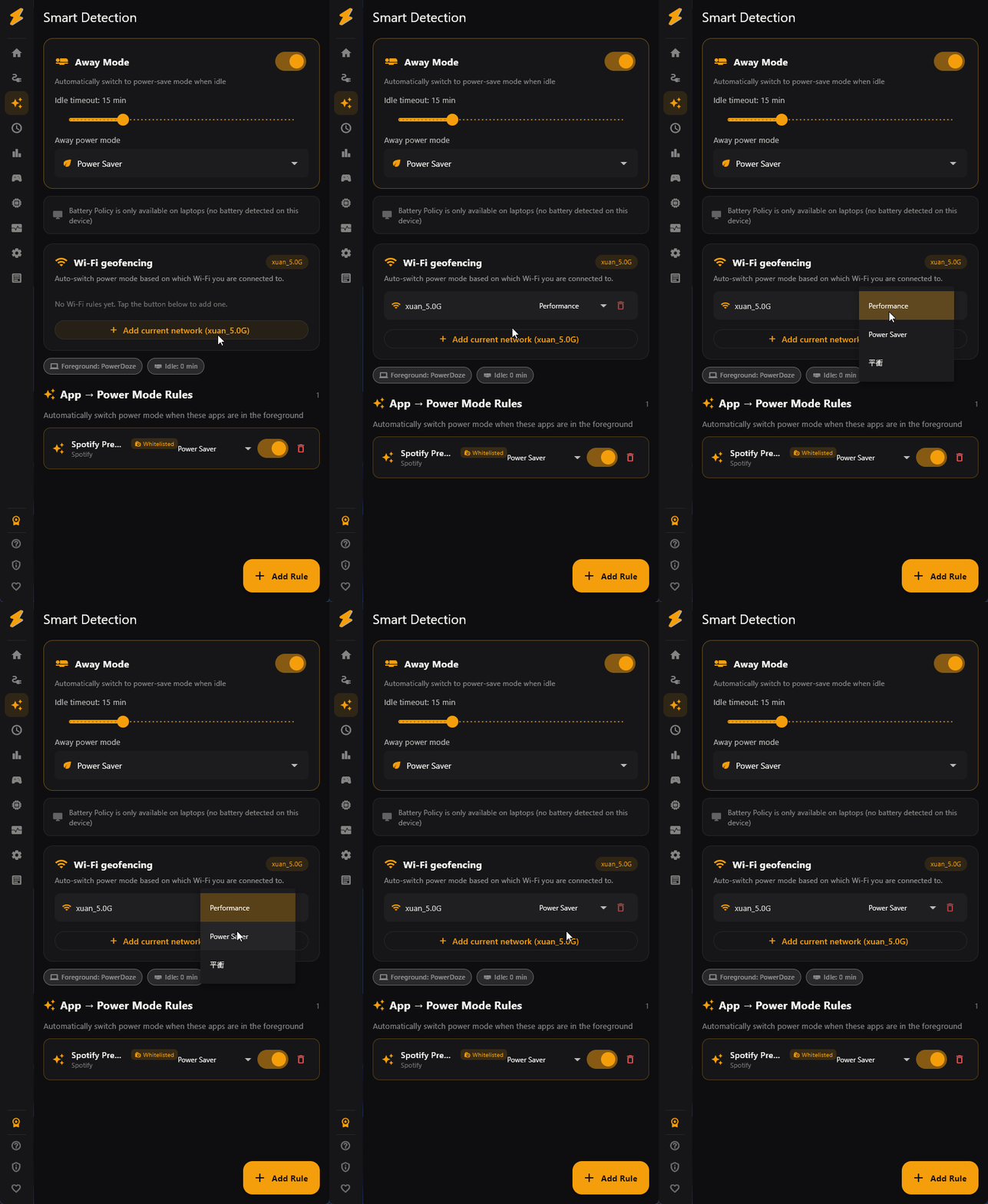
Wi-Fi geofencing
Automatically switch power modes based on which Wi-Fi network you're connected to. Acts as a simple location-aware trigger without GPS.
- Map Wi-Fi SSIDs to power modes (e.g., "Office-5G" → Balanced)
- Automatically detects current SSID
- Useful for "at work" vs. "at home" vs. "at coffee shop" profiles
- Checks periodically in the background
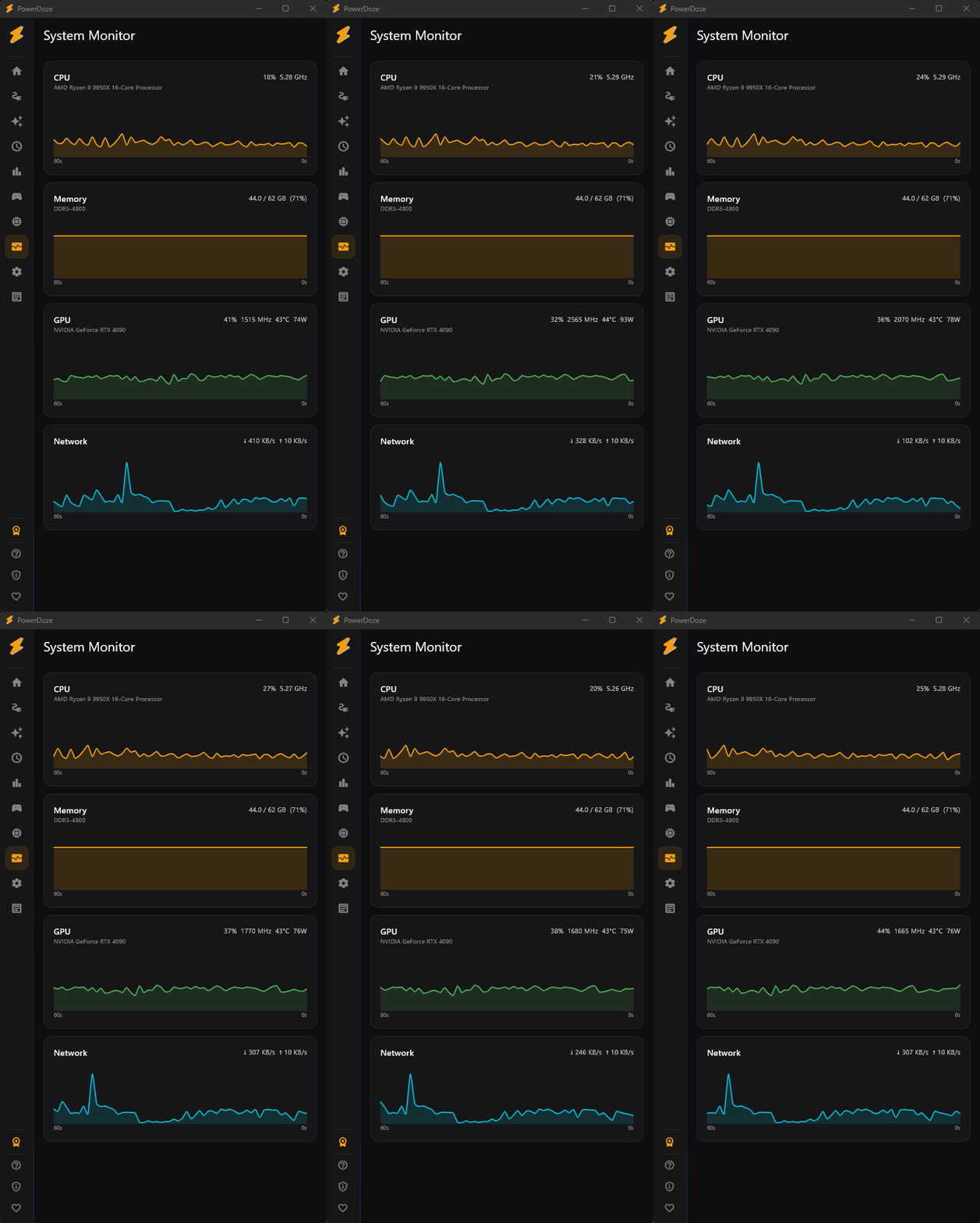
Hardware monitor
A real-time system dashboard with CPU, RAM, network, temperature, and FPS readings. Available as a full screen or a compact floating overlay.
- CPU usage, frequency, and temperature
- RAM usage and available memory
- Network upload/download speed
- FPS counter for DirectX games
- Mini Mode: a compact floating panel that stays on top
- Power consumption tracking and session statistics
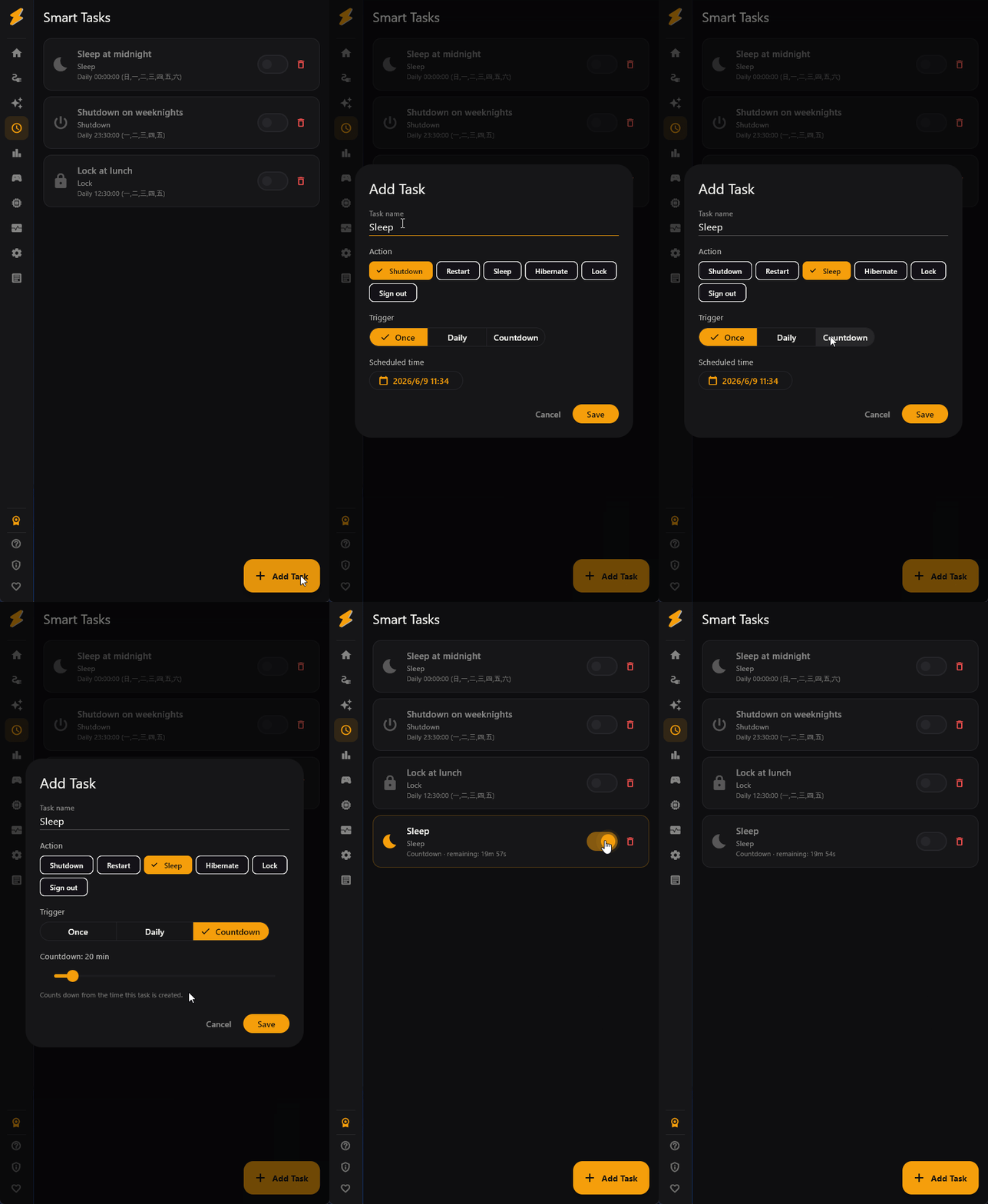
Smart tasks
Schedule automated system actions like shutdown, restart, sleep, or lock at a specific time or after a countdown. Useful for overnight tasks or maintenance windows.
- Actions: Shutdown, Restart, Sleep, Hibernate, Lock, Sign Out
- Triggers: specific time (once/daily), countdown timer
- Pre-execution warning notification (30 seconds before)
- Enable/disable individual tasks without deleting them
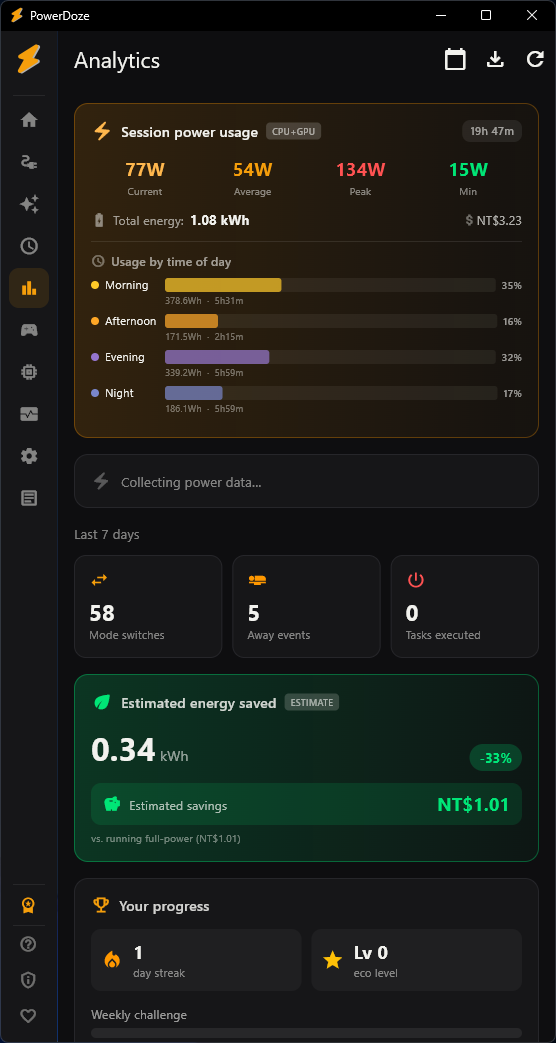
Analytics & energy report
Track your power usage over time, see which modes you use most, and estimate your energy savings. Includes an achievement system to gamify your power management habits.
- Power history chart (7/14/30 day views)
- Mode usage breakdown and time distribution
- Estimated kWh saved and CO2 reduction
- Electricity cost estimation (multiple currencies and pricing tiers)
- Achievement badges for power-saving milestones
- Export to CSV for further analysis
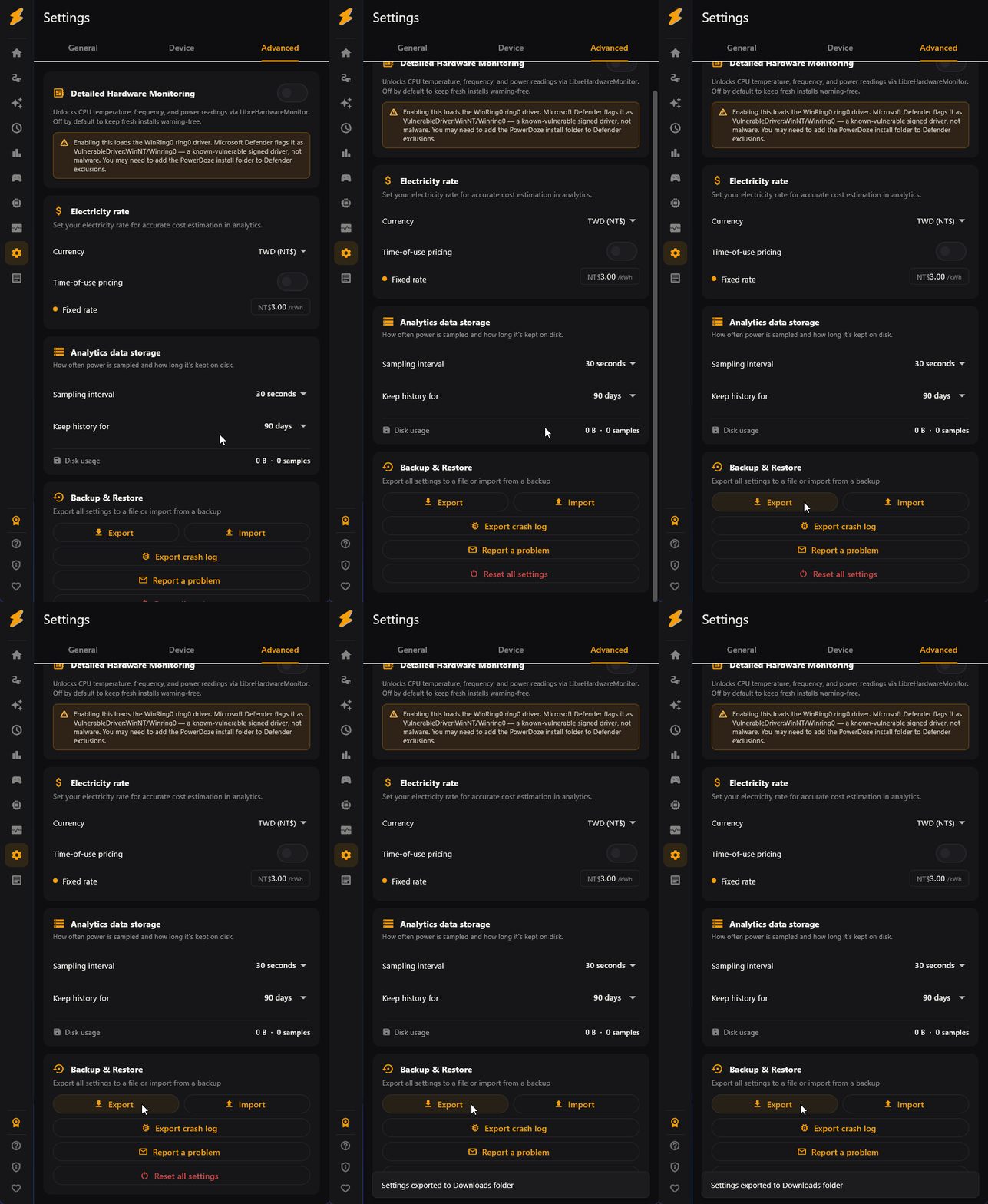
Settings export & import
Back up your entire configuration (rules, modes, whitelist, smart detect settings) to a single file. Restore on the same PC or transfer to a new machine.
- One-click export of all settings
- Import restores everything — rules, modes, whitelist, policies
- Useful for PC migration, fresh Windows installs, or sharing configs
- Automatic backup snapshots before every save operation
Process EcoQoS (Efficiency Mode)
Toggle Windows' native Efficiency Mode on any running process from a searchable list — the same power-throttling flag as Task Manager's leaf icon, but applied to every process sharing a name at once.
- Uses Windows' own SetProcessInformation API — the identical mechanism behind Task Manager's Efficiency Mode
- Matches by process name, so multi-instance apps are covered in one toggle — not one PID at a time
- Bundled with per-process CPU priority and GPU preference (iGPU/dGPU) in the same list
- Best for background apps that idle-but-spike (sync clients, chat apps, indexers) — not for active rendering or encoding
- Applies to currently running processes; like Windows' own toggle, it resets when the app restarts